Features
Everything you need to lay out an MDS case album and get it printed correctly. Pick a feature to see how it works, or read the complete list below.
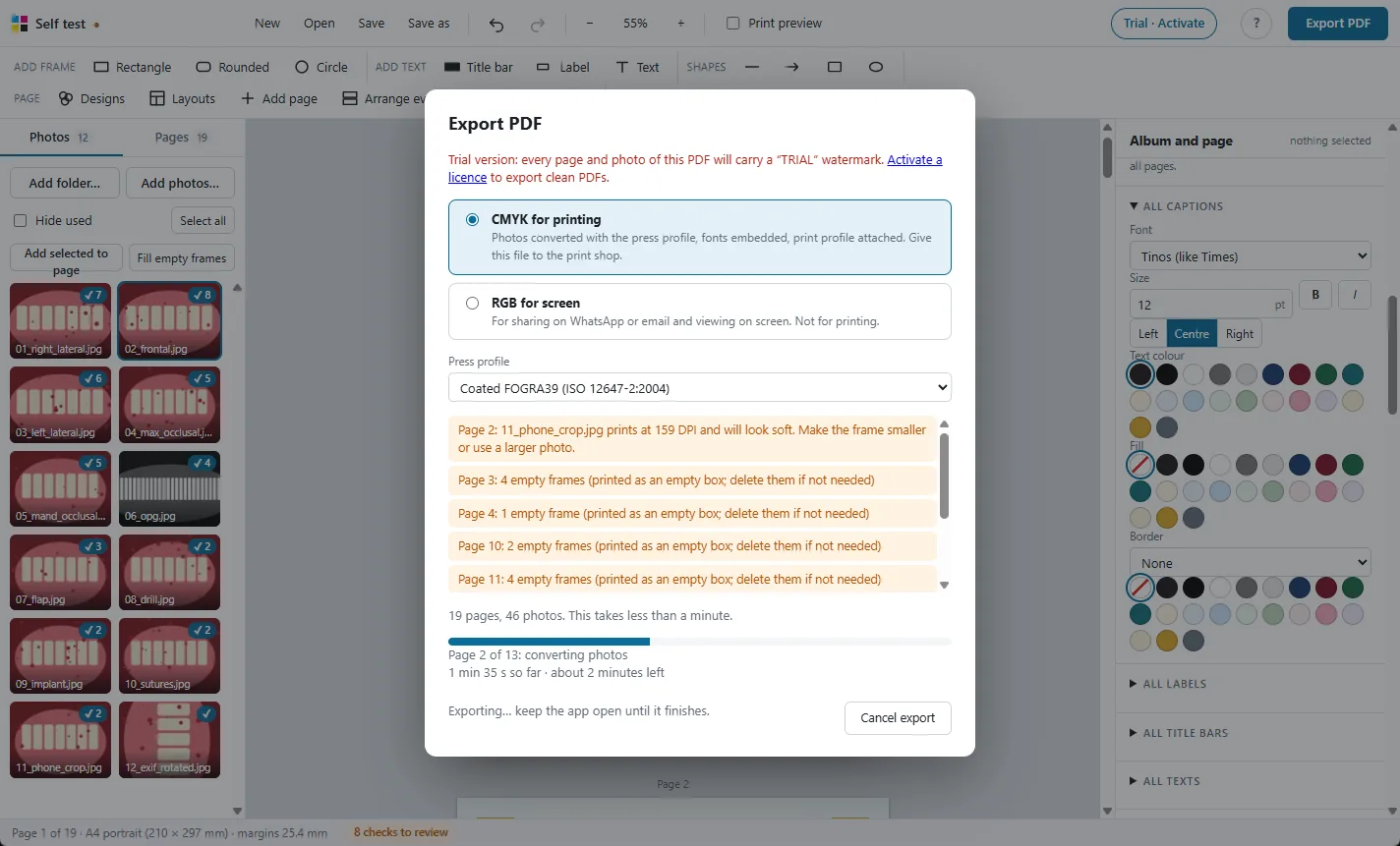
Print-ready CMYK PDF
Photos converted with the press colour profile, so prints match the screen.

98 ready layouts
Pages for every MDS department, KUHS case pages, comparisons and new collage designs.
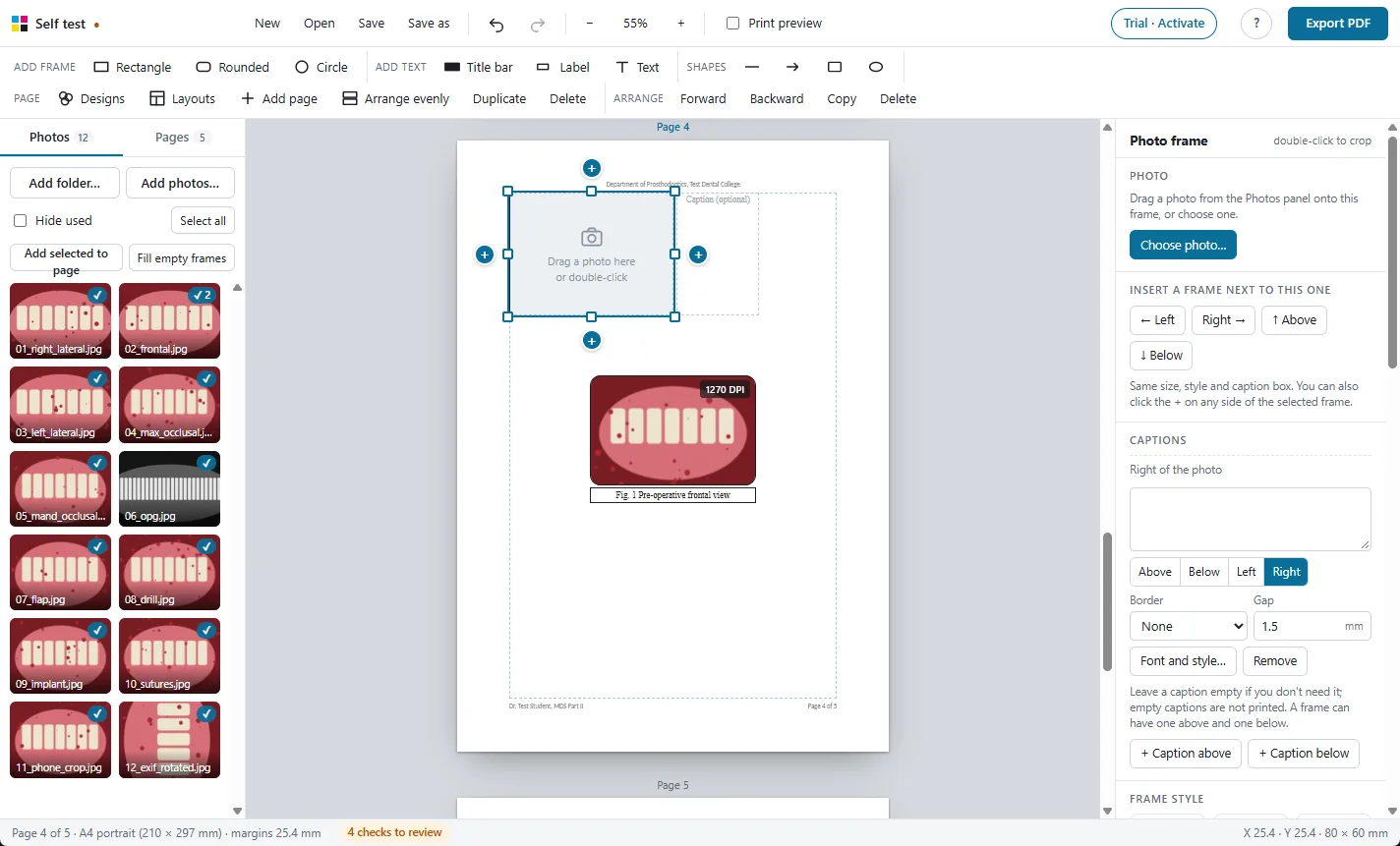
Frames and captions
Every photo gets a frame and a caption. Frames never overlap.
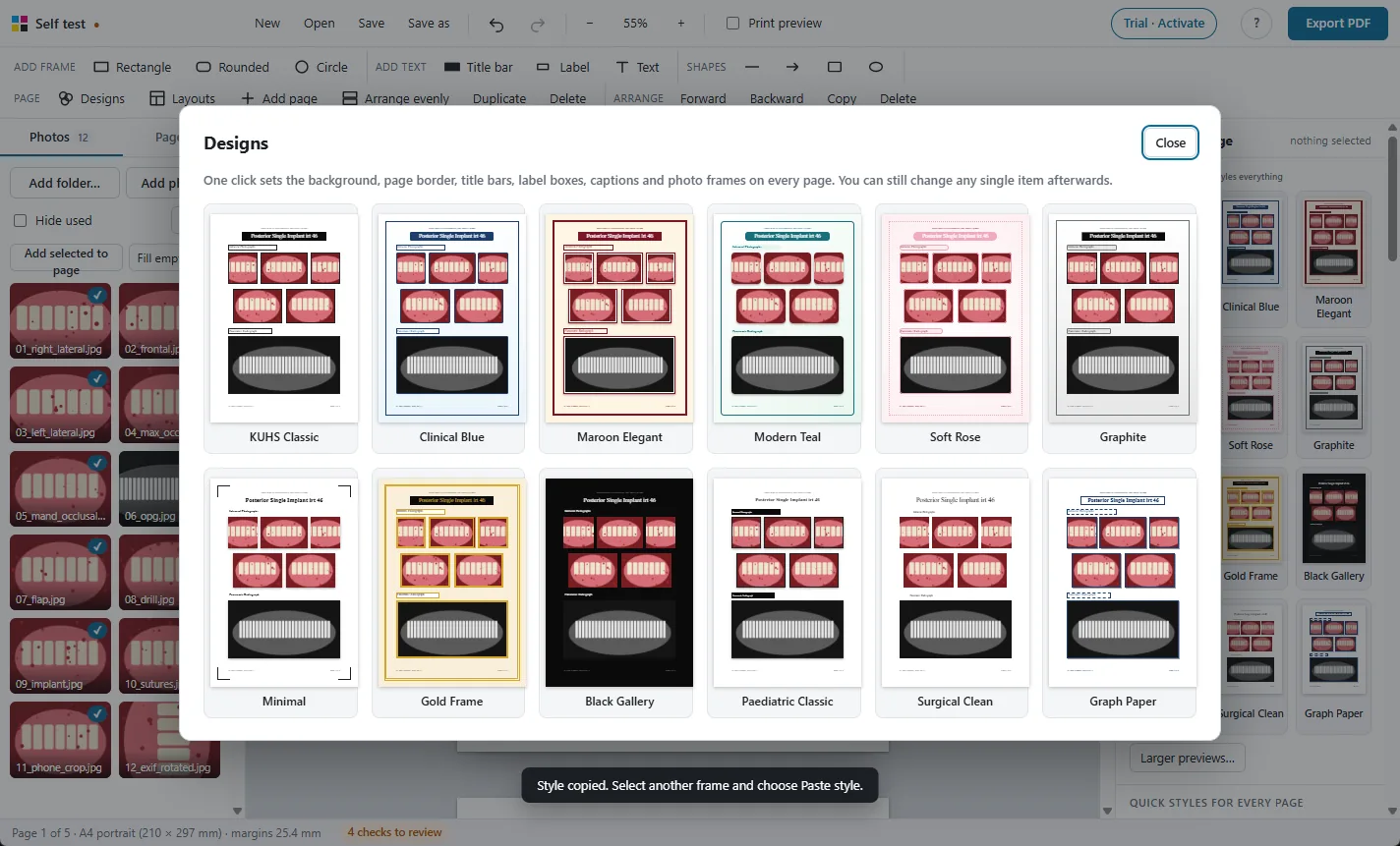
One-click designs
Restyle the whole album, change every caption's font at once.

Crop, adjust and check
Crop, rotate, brighten, and see the print DPI of every photo.
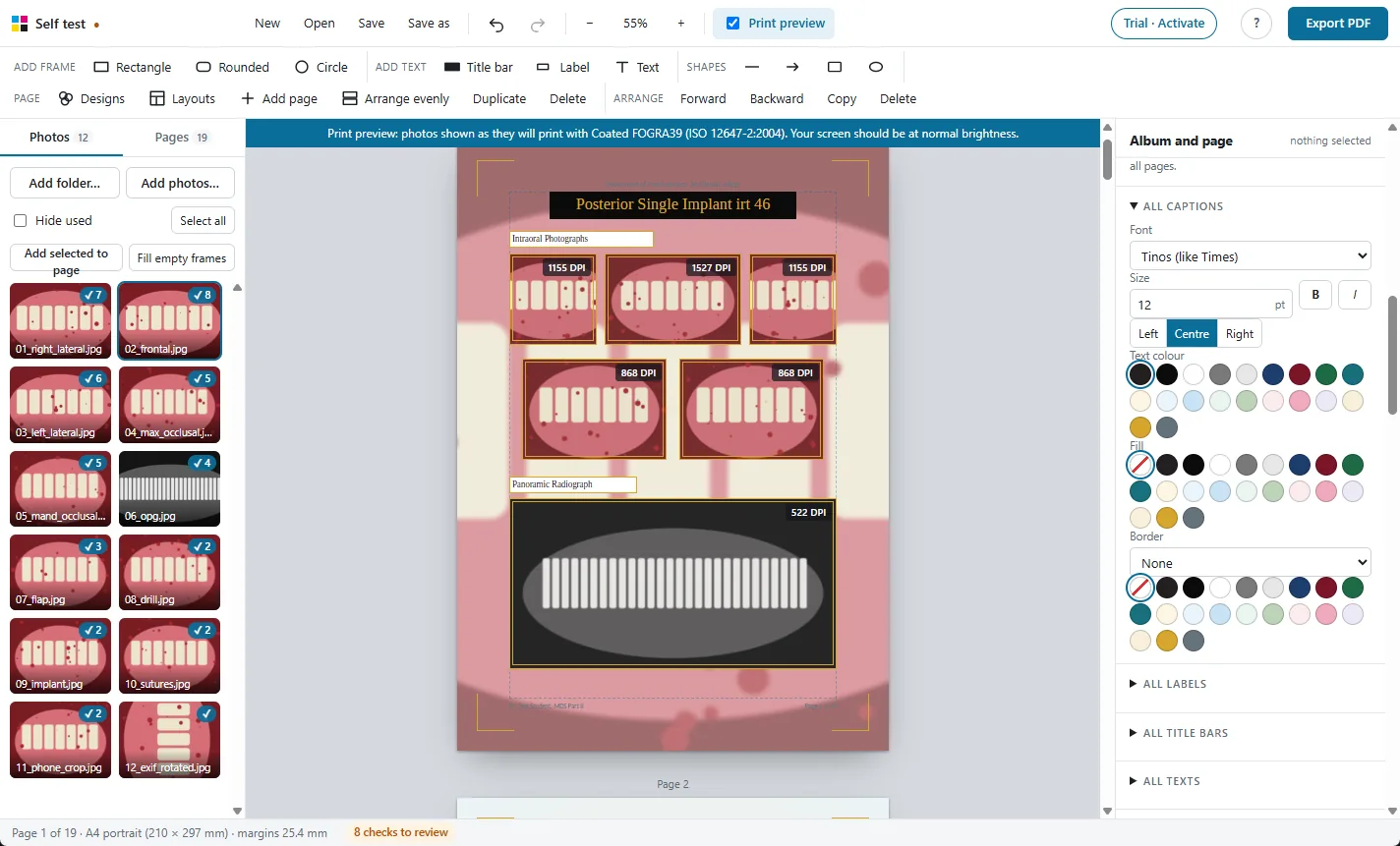
Print preview
See on screen how the photos will look on paper before you print.
Large albums
Hundreds of photos and 250 pages, with autosave and project files.

Photos stay on your PC
A Windows app that works offline. Nothing is uploaded.
Everything the app does
The complete list, grouped the way you work.
Pages
- Exact A4 pages, portrait or landscape
- Orientation for the whole album, or for one page only
- Margins from 1 inch (25.4 mm), never below 0.8 inch, wider if you like
- Changing orientation or margins rescales the page evenly, never stretched
- Add, duplicate, delete and reorder pages; drag thumbnails to reorder
- Pages scroll one below another, like a document
Ready layouts
- 98 layouts in portrait and landscape
- KUHS-style case pages: title bar, intraoral rows, wide OPG frame
- Intraoral and extraoral series, OPG with IOPAs, CBCT sections
- Before and after, pre-op / intra-op / post-op, steps with arrows
- Patient details page with lined-up “Name : value” rows
- Case title page, section dividers, grids of 1 to 12, collages, Polaroids
- Orthodontics: cephalometric findings table, diagnosis and treatment plan, extraoral and intraoral series, ceph and OPG, comparison
- Periodontology, Endodontics, Oral Medicine, Oral Pathology and Public Health pages, with charts and tables ready to fill
- Creative collages: bento grid, filmstrip, close-up callouts, cascade, radial, treatment timeline, magazine cover and more
- Change a page's layout and its photos move into the new frames
Adding photos
- Add a whole folder, pick files, or drop them from Windows Explorer
- Drag a photo onto a frame, or double-click a frame to choose one
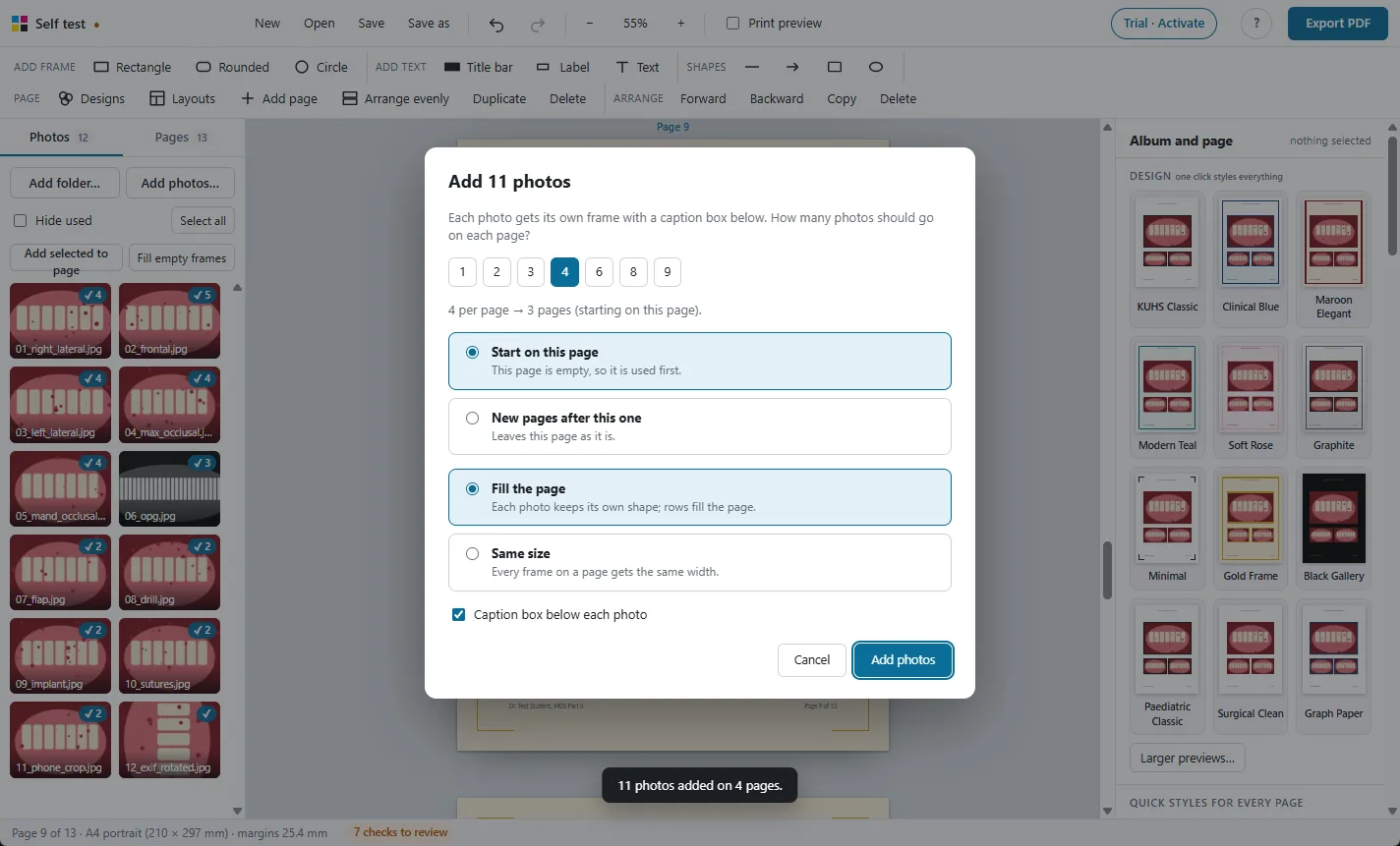
- Add selected photos to a page, each with its own frame and caption
- Many photos at once: choose how many per page and the pages are added
- Fill a layout's empty frames in order with one click
- Tick and count on every used photo; hide used photos
- Phone photos are turned the right way up automatically
Photo frames
- Rectangle, rounded and circle frames
- Frames keep the photo's proportions (hold Shift to stretch)
- Frames never overlap: a gap is kept automatically (3 mm, or set 0 to 10 mm; 0 puts photos edge to edge)
- Insets and close-ups: let one frame sit on top of another photo
- New frames go to the first free space on the page
- + buttons insert the next frame left, right, above or below, with the same size, style and caption
- Arrange evenly: every frame the same width, as large as fits
- Fill page: rows that fill the page and keep each photo's shape
- Shape a frame to the photo, or to 1:1, 4:3, 3:2, 16:9 or 3:4
- Type exact position and size in millimetres; nudge with arrow keys
Captions
- Every frame gets its own caption box automatically
- Captions above, below, left or right of the photo
- Two captions on one photo: one above and one below
- Captions move and resize with their photo
- Drag a caption anywhere and it still follows its photo
- Empty captions are not printed
- Layout labels above photos are linked to them automatically
Text
- Title bars, label boxes and text boxes
- Any font installed in Windows, embedded in the PDF
- Size, bold, italic, alignment, vertical alignment, colour and fill
- Borders: solid, dashed or dotted, square or rounded, shadow, emboss
- Tables with rows and columns, like cephalometric findings: header, section and sub-heading rows, shading, stacked values in a cell
- Details lists with hidden lines: label, colon and value columns, colons in one line
- Insert, remove and reorder table rows; optional lines between rows
- Fit box to text: labels and titles sized to their words
One-click settings for the whole album
- 12 designs restyle every page at once
- Fonts on every page: all captions, labels, titles or texts in one place
- One frame style for all frames; one box style for all titles, labels or captions
- Style one box, then “Use for all” boxes of that kind
- Copy style and paste style between items
- New albums start in Times New Roman
Styles
- 15 frame styles: KUHS thin black, thick, rounded, shadows, emboss, double line, white mat, Polaroid, circle ring and more
- 8 label box styles: outline, black, navy or maroon bar, rounded tag, shadow, embossed plate, text only
- Backgrounds: colours, gradients, glows, dots, lines, graph paper, or a faded photo
- Background on every page or on one page
- 8 page borders that stay clear of the photos
- Header and footer with automatic page numbers in your choice of style, starting from any number, kept clear of binding
- Hide the header or footer on chosen pages, or give a page its own header
Photo editing
- Crop inside the frame: drag to move, scroll to zoom
- Fill the frame, or show the whole photo
- Rotate left and right
- Brightness, contrast and saturation sliders
- Black and white for radiographs
- Original photo files are never changed
Shapes
- Lines, arrows, double arrows, curved arrows, rectangles and ellipses
- Arrows across, down or on a slant, either way round
- Line width, colour, dashes and fill
- A black rectangle hides a patient's eyes in the print
Selecting and arranging
- Select several with Shift+click or by dragging a box
- Align left, centre, right, top, middle or bottom
- Space evenly across or down; same width or same height
- Changes that would make frames overlap are undone
- Right-click menu, bring forward, send backward
- Copy, paste, duplicate; 120 steps of undo
Checks before printing
- Print DPI shown on every photo
- Warning for photos below 200 DPI
- Empty frames, overlapping frames, missing photos and missing fonts listed
- Print preview: photos as they will look with the press profile
PDF export
- CMYK PDF converted with the print shop's colour profile
- Profile embedded in the PDF for the print shop
- Photos at up to 300 DPI, fonts embedded, text in black ink only
- RGB PDF for WhatsApp and email
- Time estimate, live progress, time left and Cancel
Projects and safety
- Save and open albums as project files
- Autosave and recovery after a crash or power cut
- Find moved photos again without losing crops or captions
- Works with 250 pages and 750 large photos
- Works offline; patient photos are never uploaded
Licence
- 30-day free trial with every feature (PDFs carry a watermark)
- ₹500 for one year on one computer
- Move it to a new computer from your account page
- Reminder 30 days before it ends; renew with the same key
Try it free on your own photos
Every feature works in the 30-day free trial. Exported PDFs carry a TRIAL watermark until you activate a licence: ₹500 for one year.