One-click designs and styles
Give the whole album one look without editing every box. Change it again whenever you like; your photos and text stay where they are.
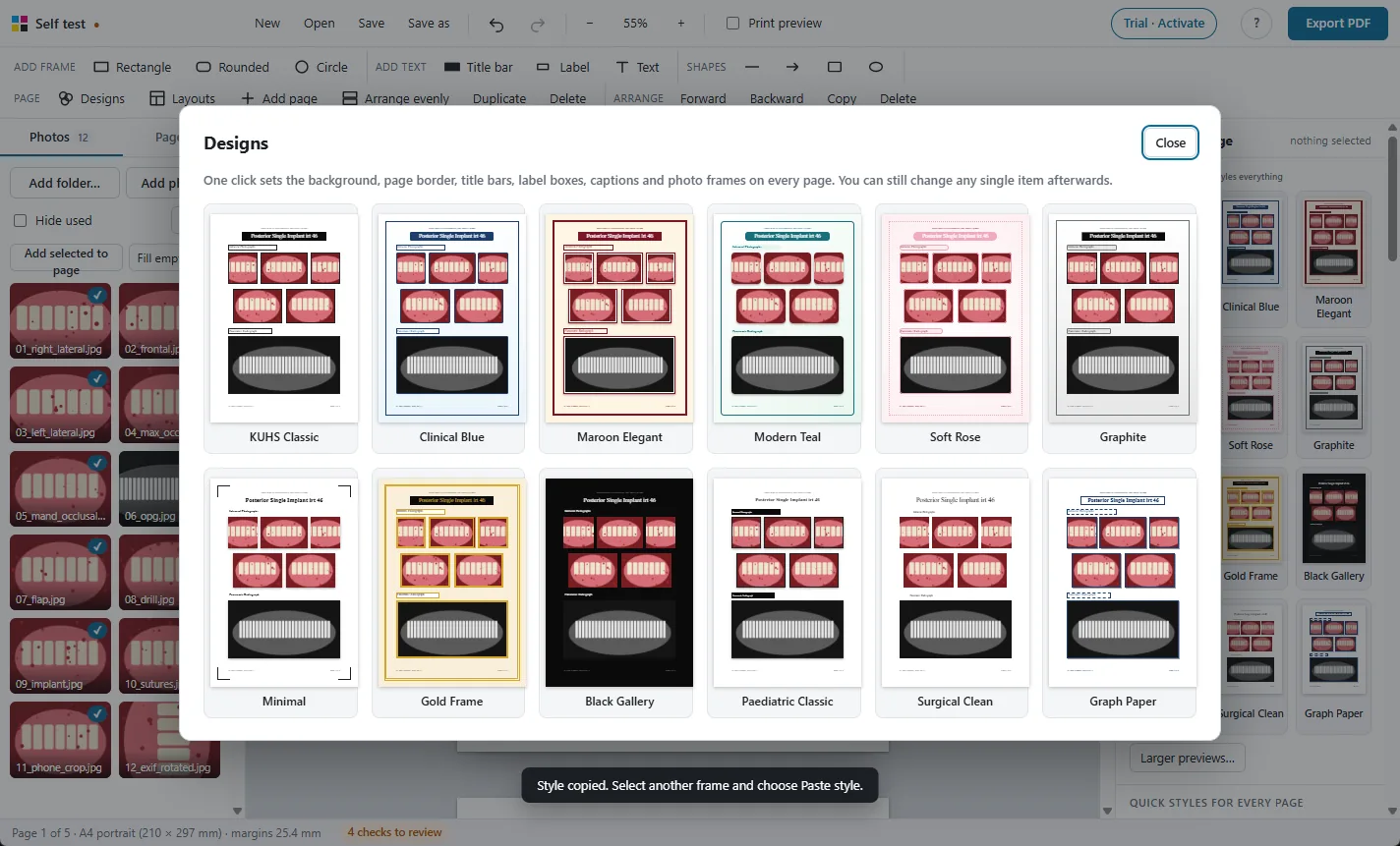
Twelve designs
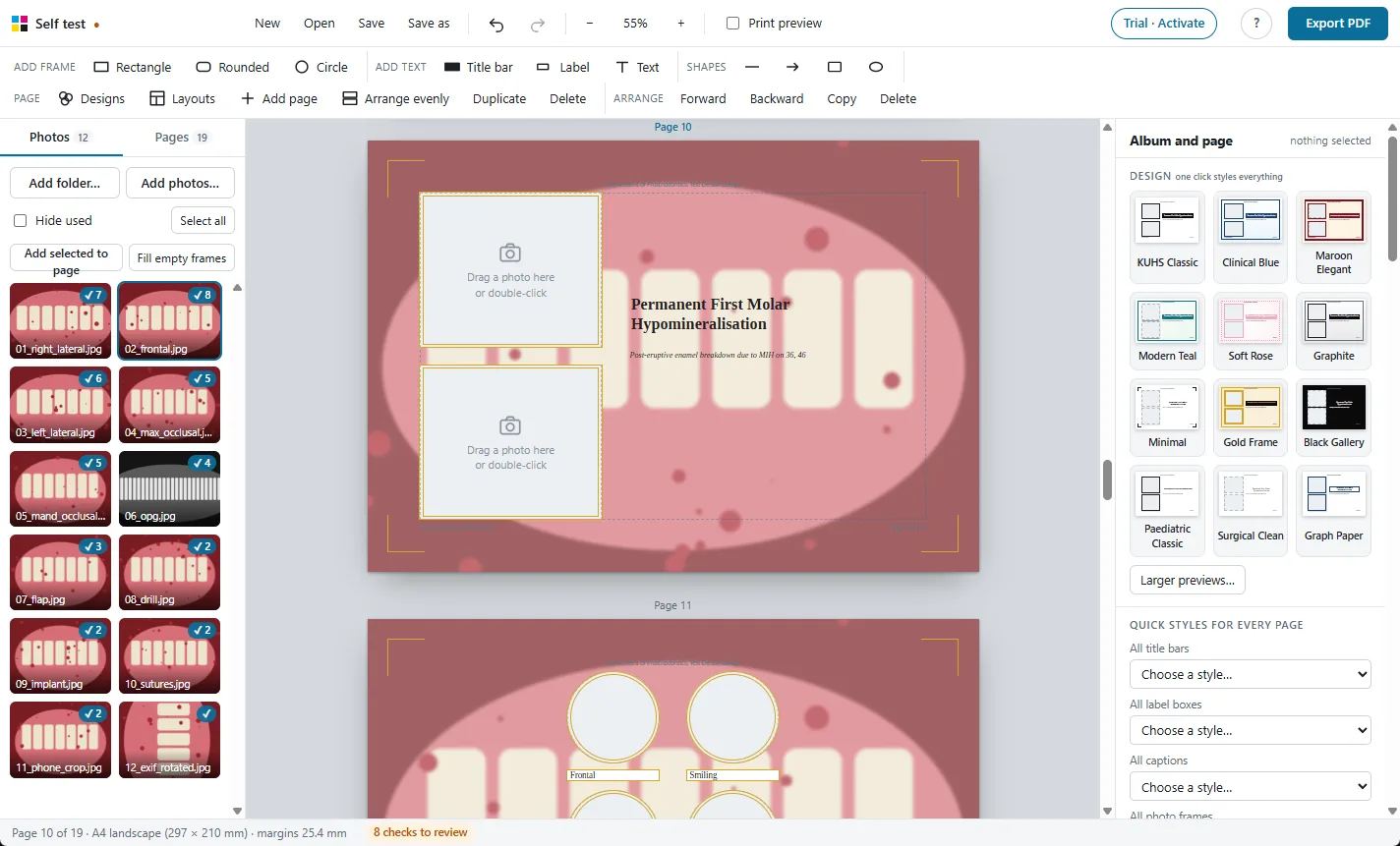
KUHS Classic, Clinical Blue, Maroon Elegant, Modern Teal, Soft Rose, Graphite, Minimal, Gold Frame, Black Gallery, Paediatric Classic, Surgical Clean and Graph Paper.
A design sets the background, the page border, the title bars, label boxes, captions and photo frames on every page together. Circle frames stay circles. Ctrl+Z brings back the previous look.
Fonts for every caption at once
With nothing selected, the side panel has Fonts on every page: set the font, size, bold or italic, alignment and colour for all captions, labels, title bars or text boxes in the album. New albums start in Times New Roman.
Styled one box the way you like it? Use for all copies that style to every box of the same kind.

Frames, boxes, backgrounds and borders
- 15 frame styles: thin black (KUHS), thick, rounded, soft, lifted or hard shadow, emboss, double line, white mat, Polaroid, circle with a white ring and more. Borders can be solid, dashed or dotted.
- 8 label box styles: outline, black, navy or maroon bars, rounded tag, shadow, embossed plate, text only.
- Backgrounds: plain colours, gradients, soft glows, fine dots, lines or graph paper, or one of your photos faded behind the page. On every page or just one.
- Page borders: thin, thick, double, thick and thin, rounded, dashed, dotted, corner brackets.
- Header and footer on every page, with your department, name and automatic page numbers, placed just outside the photo area so binding does not cut them.
- Any font installed in Windows can be used. It is embedded in the PDF when the font allows that; otherwise the PDF uses Carlito for that text.
More features
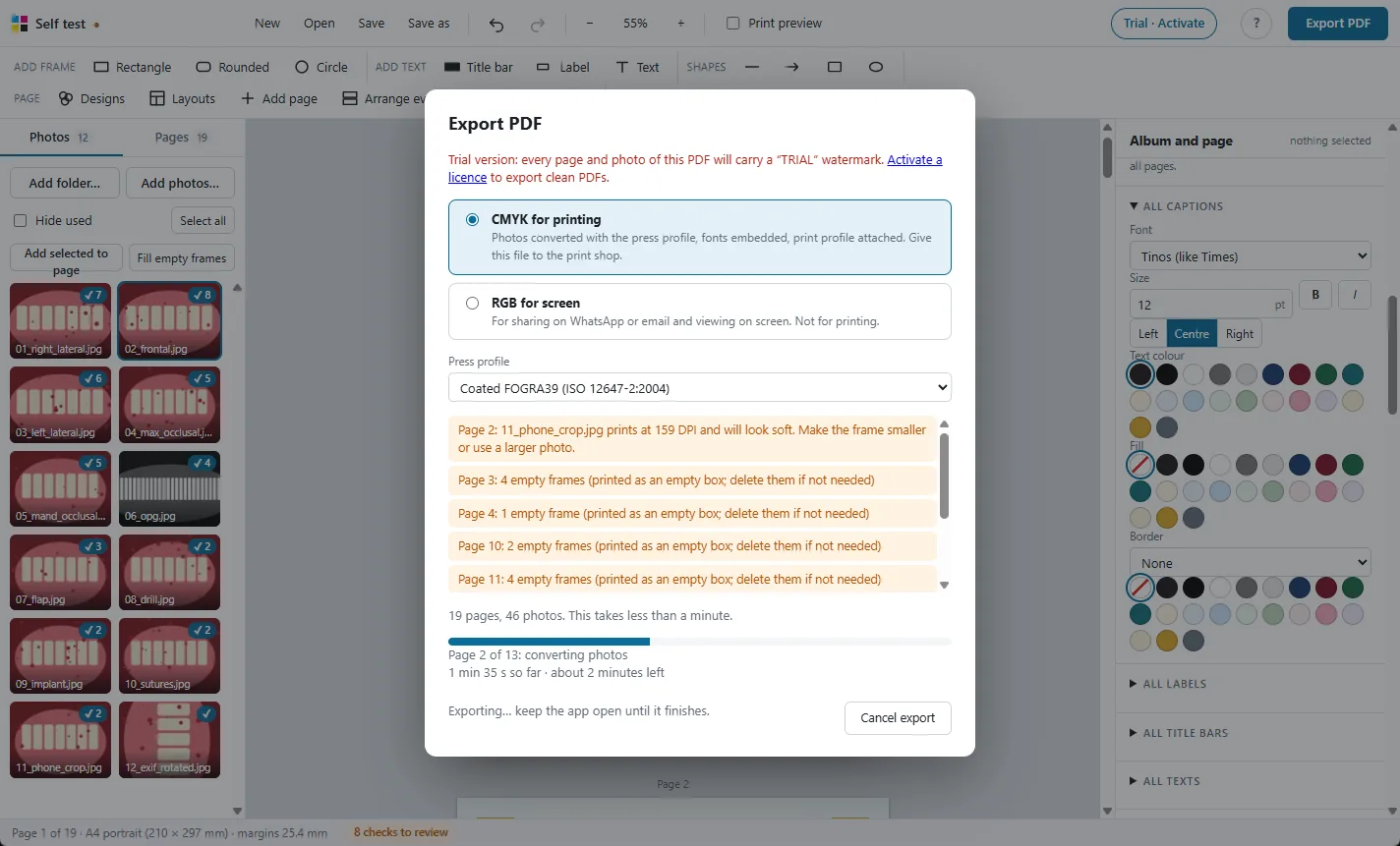
Print-ready CMYK PDF
Photos converted with the press colour profile, so prints match the screen.

98 ready layouts
Pages for every MDS department, KUHS case pages, comparisons and new collage designs.
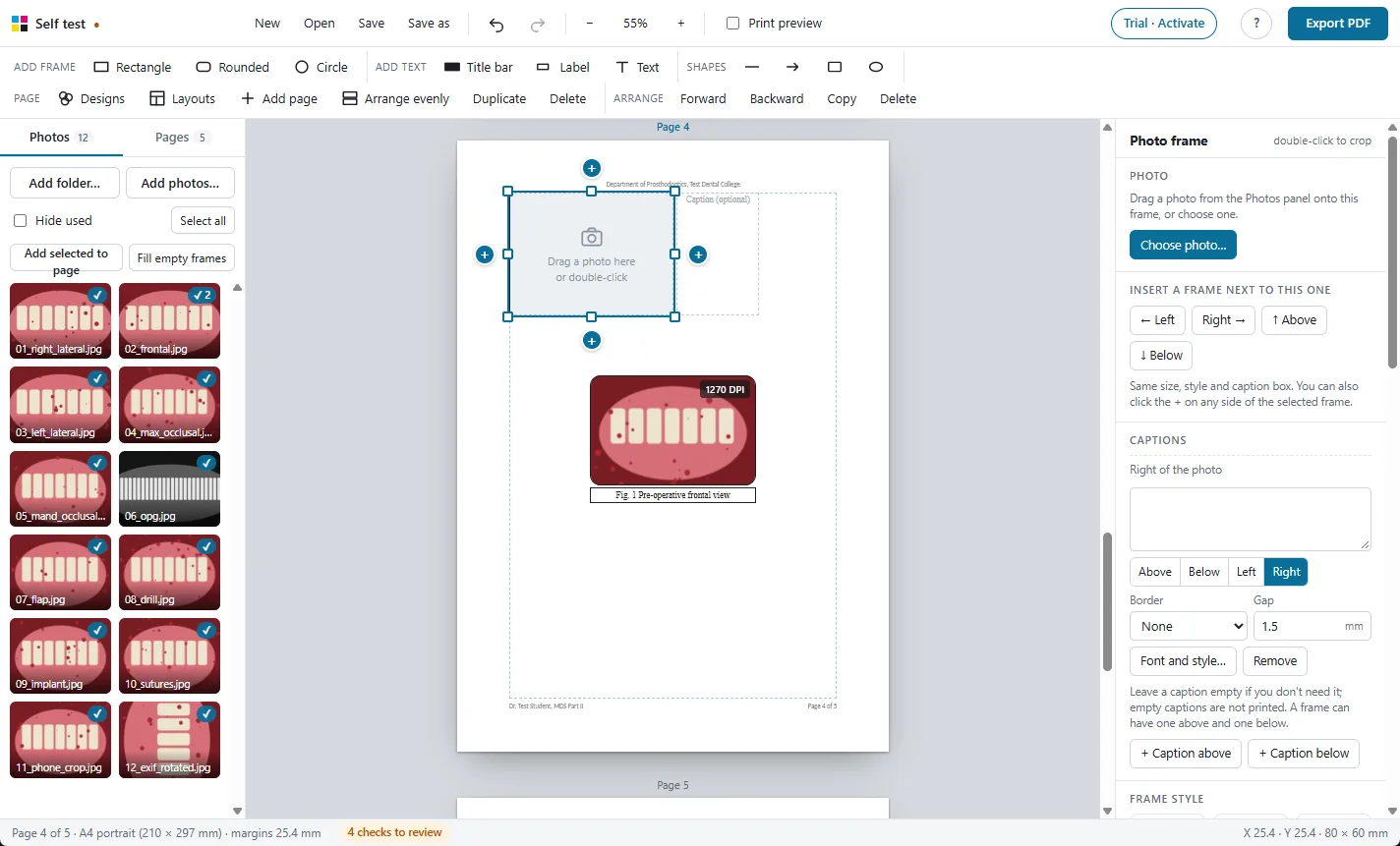
Frames and captions
Every photo gets a frame and a caption. Frames never overlap.

Crop, adjust and check
Crop, rotate, brighten, and see the print DPI of every photo.
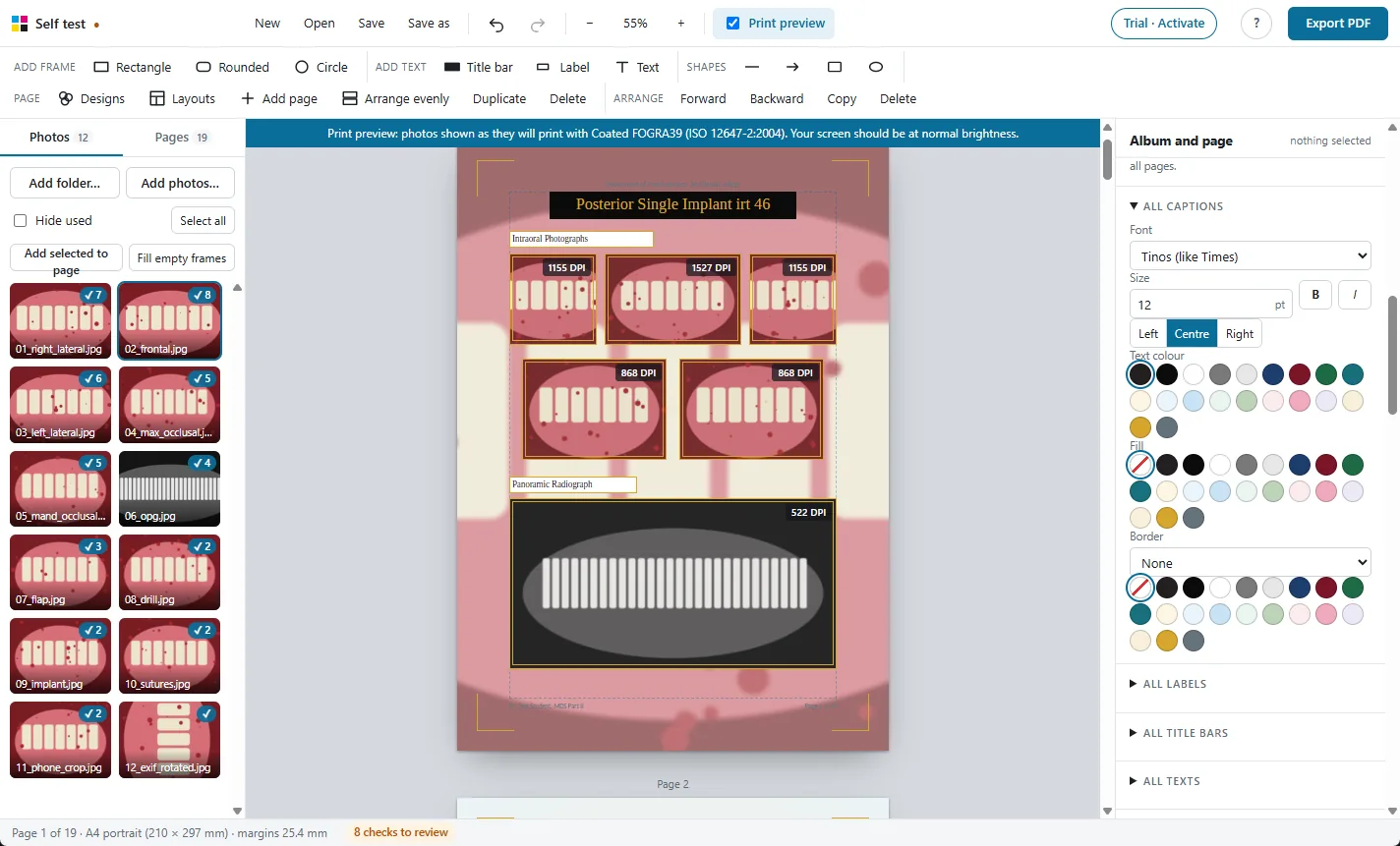
Print preview
See on screen how the photos will look on paper before you print.
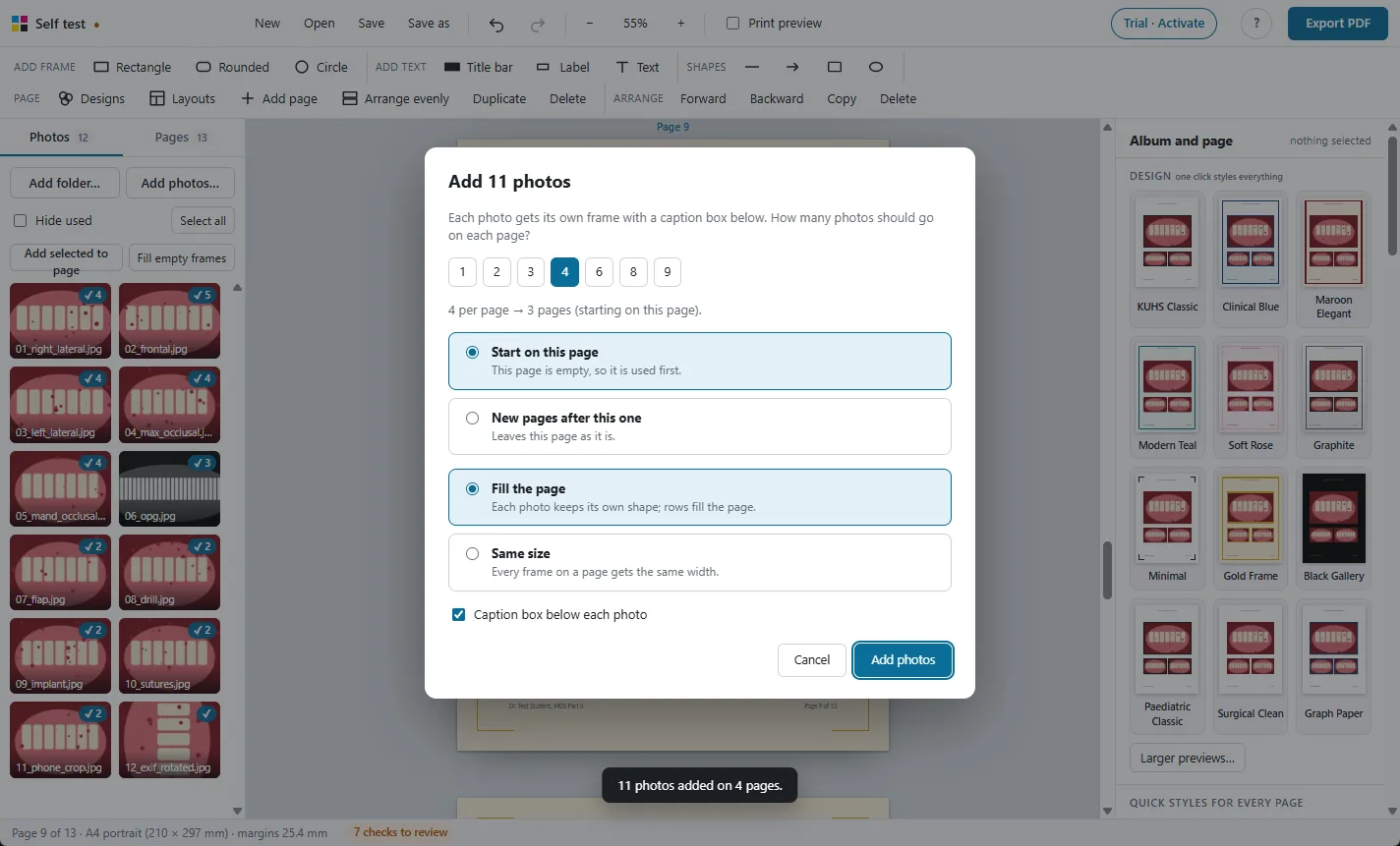
Large albums
Hundreds of photos and 250 pages, with autosave and project files.

Photos stay on your PC
A Windows app that works offline. Nothing is uploaded.
Try it free on your own photos
Every feature works in the 30-day free trial. Exported PDFs carry a TRIAL watermark until you activate a licence: ₹500 for one year.